Updated- Gone wrong!🆘
Goose RS [Basic || 120 posts] on 3/15/2026 1:04 pm
I recently got a bronze account, but I can’t update my avatar. I’ve tried several times, but it doesn’t work.. Has anyone else had this issue or know how to fix it?

( THIS ART IS FROM GOOSE, THE SOUP )
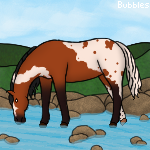
could you explain the process you're doing to change your avatar, like are you getting any kind of error message from the game when you try to change it? and are you using an image uploaded from an image hosting site like imgbb, imgur, etc? the image URL needs to end in the correct format such as .png or .jpeg as well
◦°˚


Additionally, I've found that Imgur doesn't work at all for me on avatars (always get the ‘cannot find picture size’ or something error); I had to switch to Imgbb.


I can't get my image to that point!
( THIS ART IS FROM GOOSE, THE SOUP )
it looks as though you're trying to use Google Photos? im not sure if HoFa sees that as a valid hosting site
◦°˚
C:\Users\silly\Downloads\Helamen 4.png

This is the image
( THIS ART IS FROM GOOSE, THE SOUP )
it looks as though you're trying to use an image that's stored directly to your computer files, no one except you can access it which is why the site can't as well. you will need to upload the image to an image hosting website (as Starberry said, imgbb is the most recommended site to use for HoFa avatars), then use the image URL that the site generates for your image. it's also safer to use image hosting sites since URLs from your own files may contain your personal info.
◦°˚
You must login to reply to this topic. Login here. Don't have an account? Join us.